Бабенко М. - Халявный интернет. Практическое руководство - 2011. |
|

|
|
| Вы хотите БЕСПЛАТНО смотреть две с половиной тысячи телевизионных каналов, скачивать на компьютер любые фильмы, программы, книги, музыкальные альбомы, общаться с близкими, находящимися на расстоянии тысяч километров по видеотелефону, не платя ни копейки? Это далеко не все, на что способен Интернет, надо только научиться пользоваться «ХАЛЯВОЙ».Перед вами книга, из которой вы узнаете о бесплатных возможностях ИНТЕРНЕТА. Нет ничего невозможного — все зависит от вашей фантазии и упорства!... | |
|
Доступные форматы:
|
|
|
ПродолжитьЧитать  Нравиться 19 Нравиться 19 14 14 Мои книги Мои книги
|
|
 fb2
fb2
 pdf
pdf ePub
ePub
 doc
doc
Фисенко Т., Иванова И., Тимошенко С. - Покупки в Интернете (Всегда под рукой (Вып. 4)) - 2011. |
|
|
|
| Казалось бы, онлайновые магазины должны облегчить жизнь покупателю, привлекая его разумными ценами и эффективным сервисом. Ан нет - практика показала, что рост количества и популярности интернет-магазинов не слишком повлиял на качество обслуживания. И чтобы покупка была удачной и приятной, иногда приходится приложить недюжинные силы и смекалку.... | |
|
Доступные форматы:
|
|
|
ПродолжитьЧитать Нравиться 64Мои книги
|
|
Стеркин В. - Ускорение загрузки Windows - 2011. |
|
|
|
| После выполнения рекомендуемых действий, описанных в книге, удается ускорить загрузку операционной системы на 40-50%. В книге описывается как измерить скорость загрузки Windows, создание отчета о скорости загрузки Windows 7 и устранение системных проблем, три простых совета по ускорению загрузки Windows 7, ускорение загрузки Windows 7 и Vista с помощью планировщика заданий и многое другое. Так же бонусная глава рассказывает об оптимизации загрузки с жестких дисков с помощью Windows Performance T... | |
|
Доступные форматы:
|
|
|
ПродолжитьЧитать Нравиться 54Мои книги
|
|
Потапенко С. и др. - Вторая жизнь Windows. Восстанавливаем систему (Всегда под рукой (Вып. 1)) - 201... |
|
|
|
| Сбои в работе операционной системы и потери данных — дело в общем-то обычное для каждого активного пользователя ПК. О том, как избежать этих проблем, а если они все-таки возникли, как встретить их максимально готовыми, и пойдет речь в первом выпуске новой серии \"Всегда под рукой\".... | |
|
Доступные форматы:
|
|
|
ПродолжитьЧитать Нравиться 45Мои книги
|
|
Иванов М. - Мой компьютер в вопросах и ответах. Часть 1 (Полезно знать) - 2011. |
|
|
|
| У многих пользователей ПК постоянно возникают десятки, сотни, тысячи вопросов, связанных с его работой. Где же искать на них ответы? У товарищей (но не у всех такие продвинутые товарищи); у спецов (но не у всех есть знакомые спецы); в Интернете (а сколько это отбирает времени и сил). А я предлагаю поискать в новом дайджесте, составленном по материалам периодических изданий. Эта книга представляет собой сборник вопросов и ответов для пользователей ПК. В ней вы найдете очень много полезной информа... | |
|
Доступные форматы:
|
|
|
ПродолжитьЧитать Нравиться 53Мои книги
|
|
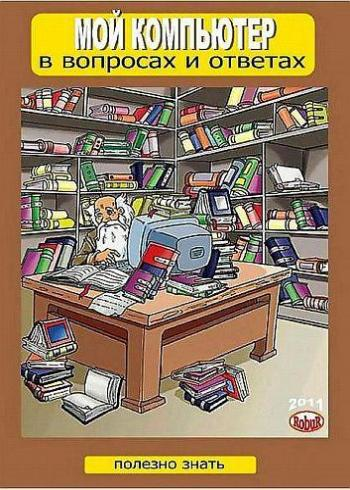
Иванов М. - Мой компьютер в вопросах и ответах. Часть 3 (Полезно знать) - 2011. |
|
|
|
| У многих пользователей ПК постоянно возникают десятки, сотни, тысячи вопросов, связанных с его работой. Где же искать на них ответы? У товарищей (но не у всех такие продвинутые товарищи); у спецов (но не у всех есть знакомые спецы); в Интернете (а сколько это отбирает времени и сил). А я предлагаю поискать в новом дайджесте, составленном по материалам периодических изданий. Эта книга представляет собой сборник вопросов и ответов для пользователей ПК. В ней вы найдете очень много полезной информа... | |
|
Доступные форматы:
|
|
|
ПродолжитьЧитать Нравиться 22Мои книги
|
|
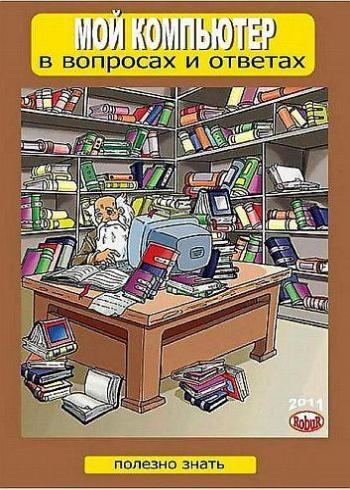
Иванов М. - Мой компьютер в вопросах и ответах. Часть 2 (Полезно знать) - 2011. |
|
|
|
| У многих пользователей ПК постоянно возникают десятки, сотни, тысячи вопросов, связанных с его работой. Где же искать на них ответы? У товарищей (но не у всех такие продвинутые товарищи); у спецов (но не у всех есть знакомые спецы); в Интернете (а сколько это отбирает времени и сил). А я предлагаю поискать в новом дайджесте, составленном по материалам периодических изданий. Эта книга представляет собой сборник вопросов и ответов для пользователей ПК. В ней вы найдете очень много полезной информа... | |
|
Доступные форматы:
|
|
|
ПродолжитьЧитать Нравиться 22Мои книги
|
|
Оптимизация и продвижение сайтов в поисковых системах (3-е издание) |
|

|
|
| Перед вами третье издание книги, ставшей бестселлером. Оно адресовано тем, кто только начинает заниматься поисковой оптимизацией и ищет наиболее действенные методы решения этой задачи, а также будет полезно и специалистам, поскольку обобщает обширный практический опыт ее авторов. Возможно ли привлечь заинтересованного посетителя на сайт, не вкладывая в рекламу огромные деньги? Как сделать, чтобы к вам шли именно ваши клиенты? Почему одни сайты часто находят через поисковые системы, а другие - с... | |
|
Доступные форматы:
|
|
|
ПродолжитьЧитать Нравиться 72Мои книги
|
|
Татьяна Фисенко - Ноутбук под ёлку. Как выбрать правильный подарок (Всегда под рукой (Вып. 6)) - 201... |
|

|
|
| Лэптопы давно уже стали не роскошью, а девайсом первой необходимости. Когда приходит пора новогодних подарков, самое время подумать о смене старенького десктопа или допотопного лэптопа на новый ноутбук. Как правильно определиться с выбором, мы вместе с экспертами ИТ-компаний расскажем в этой статье.... | |
|
Доступные форматы:
|
|
|
ПродолжитьЧитать Нравиться 43Мои книги
|
|
Казакова И.А. - История вычислительной техники - 2011. |
|

|
|
| Освещены основные периоды истории вычислительной техники, более подробно - электронный период. Рассмотрены поколения ЭВМ - наиболее типичные их представители. Приведены сведения об основных научных школах и направлениях вычислительной техники. Показан вклад известных ученых и инженеров в создание и совершенствование электронно-вычислительных машин. Изложены перспективные направления развития вычислительной техники - разработка нейрокомпьютеров, молекулярных, квантовых и оптических компьютеров. О... | |
|
Доступные форматы:
|
|
|
ПродолжитьЧитать Нравиться 55Мои книги
|
|
 В конце февраля 2009 года
 Электронная читалка - вещь очень хрупкая. Если с ней обращаться не правильно - она может сломаться. Чтобы этого не случилось, нужно придерживаться лиш
 Большинство книг в сети интернет распространяется в формате FB2 (Fiction Book). Этот формат очень удобен для чтения. Файлы, в нем созданные, отличаютс
 1Популярность электронных книг у читателей неуклонно растет. Для доказательства этого мы провели маленький эксперимент. Из 10 людей, читающих в метро,
 Файлы формата FB2 часто можно увидеть среди огромнейшего разнообразия текстовых форматов. Такая высокая популярность объясняется его предназначением.
 Первую версию формата PDF (Portable Document Format) еще в 1993 году разработала фирма Adobe Systems. В 2006 году она уже разработала версию 1.7, а с
 Фирма Apple порадовала пользователей iPad, выпустив под него красивую и удобную читалку iBooks.